How to get started
INSTALLATION GUIDEANDROID APP
TrailCore Radar can be downloaded and installed directly from the Google Play store. Follow the steps in this guide to install the app successfully.

TrailCore Radar can be downloaded and installed directly from the Google Play store. Follow the steps in this guide to install the app successfully.
Search for Trailcore Radar on Google Play store. Click on Install
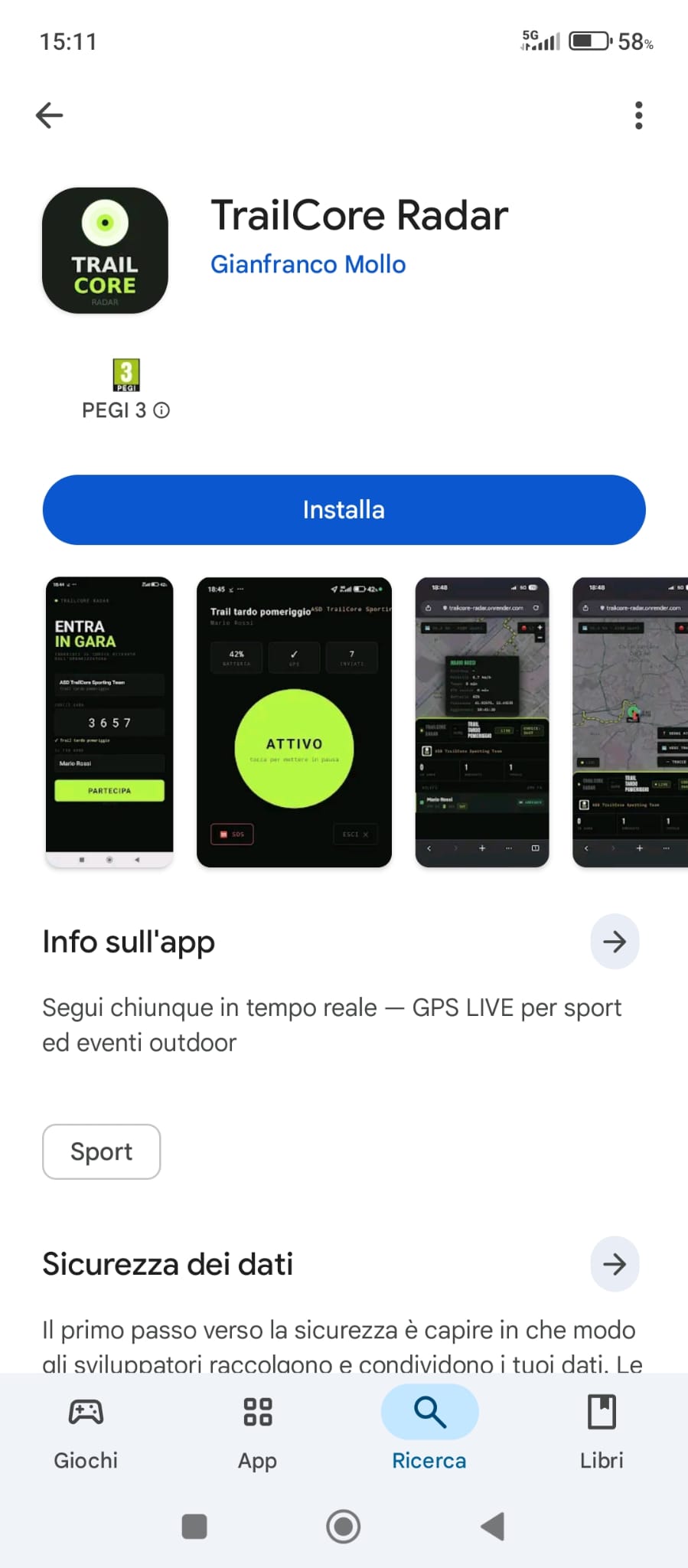
Before using the app, edit location permissions.
You must authorize "Always Allow" and activate the exact location - otherwise tracking stops with the screen off.
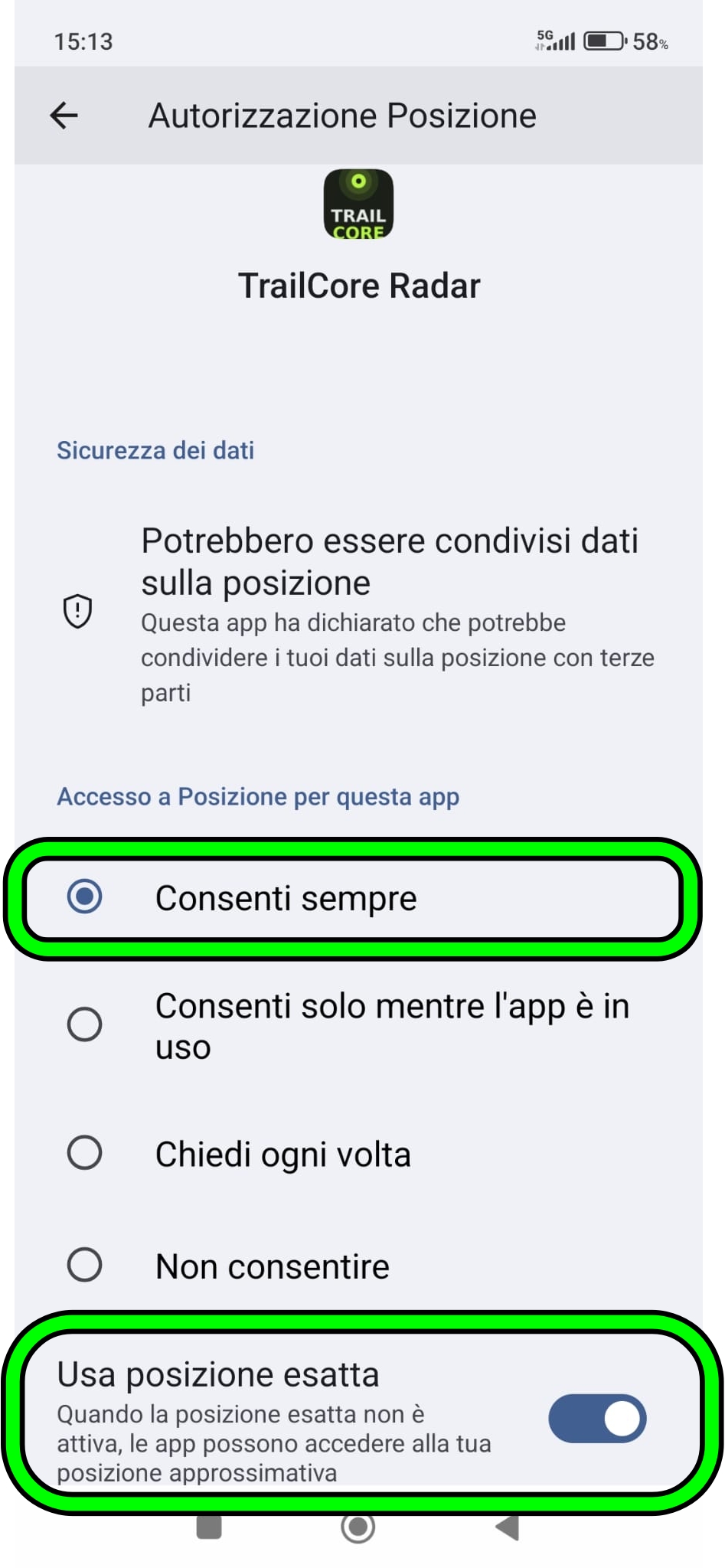
You can check at any time from TrailCore App Settings Radar Permissions Location.
Make sure to disable this feature. With the screen off, Android tends to kill apps after a few seconds of use
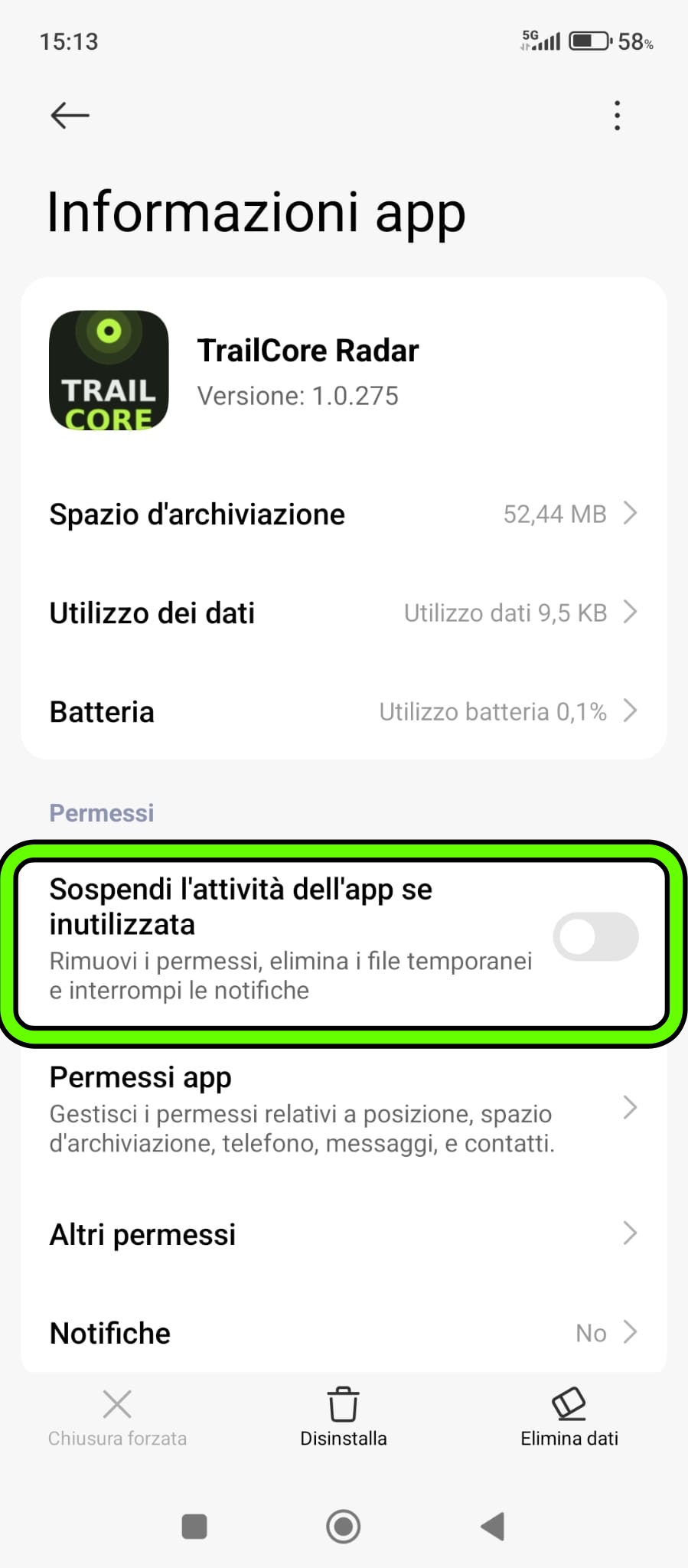
Remove or disable
Suspend app activity if unused
as in the image
Xiaomi aggressively limits apps in the background. Without this configuration, the GPS will stop after about 2 minutes with the screen off.
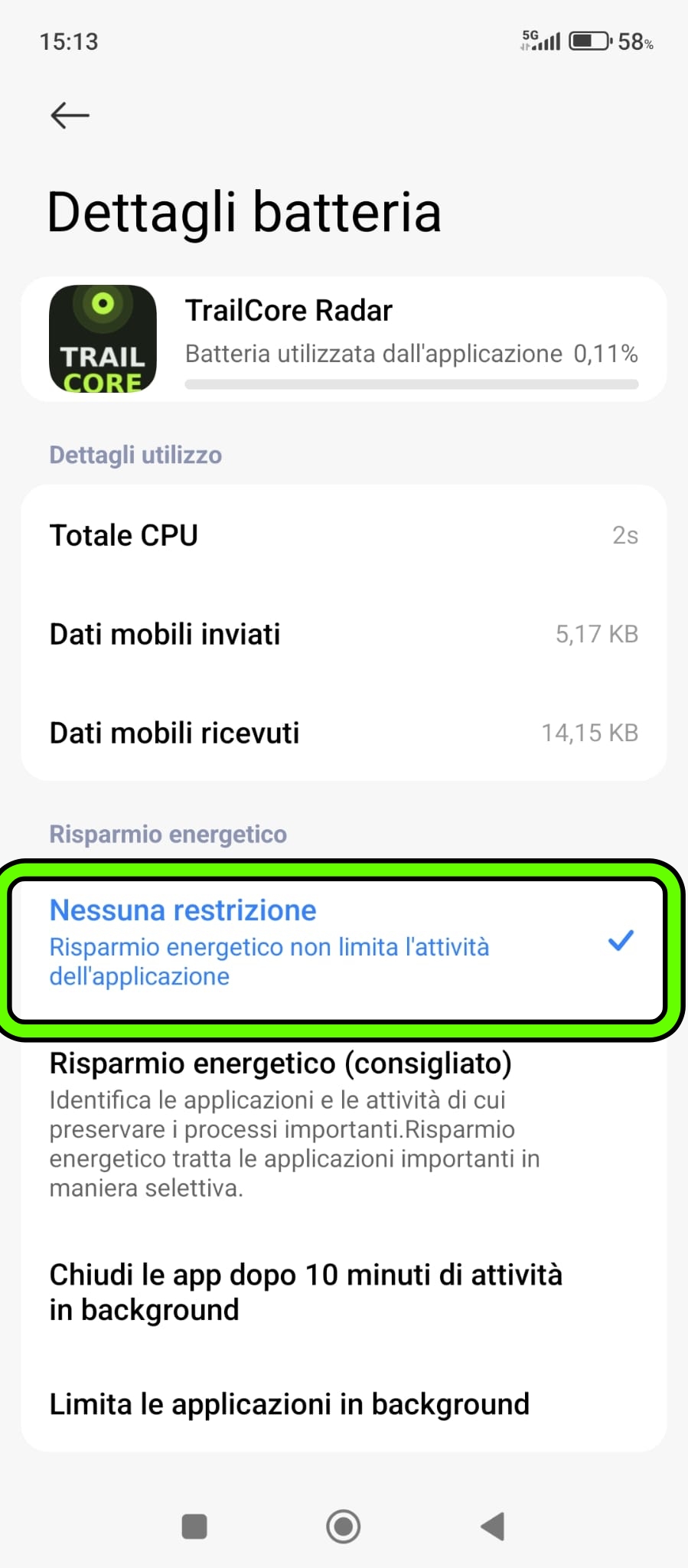
No restrictions - GPS works without limits in the background
Energy saving - the system locks GPS after 2 minutes
Close after 10 min - app is terminated during race
Follow steps 5 and 6 below to complete the configuration on Xiaomi/HyperOS.
On HyperOS the system prevents apps from restarting in the background after they are closed. You must enable autostart for TrailCore Radar.
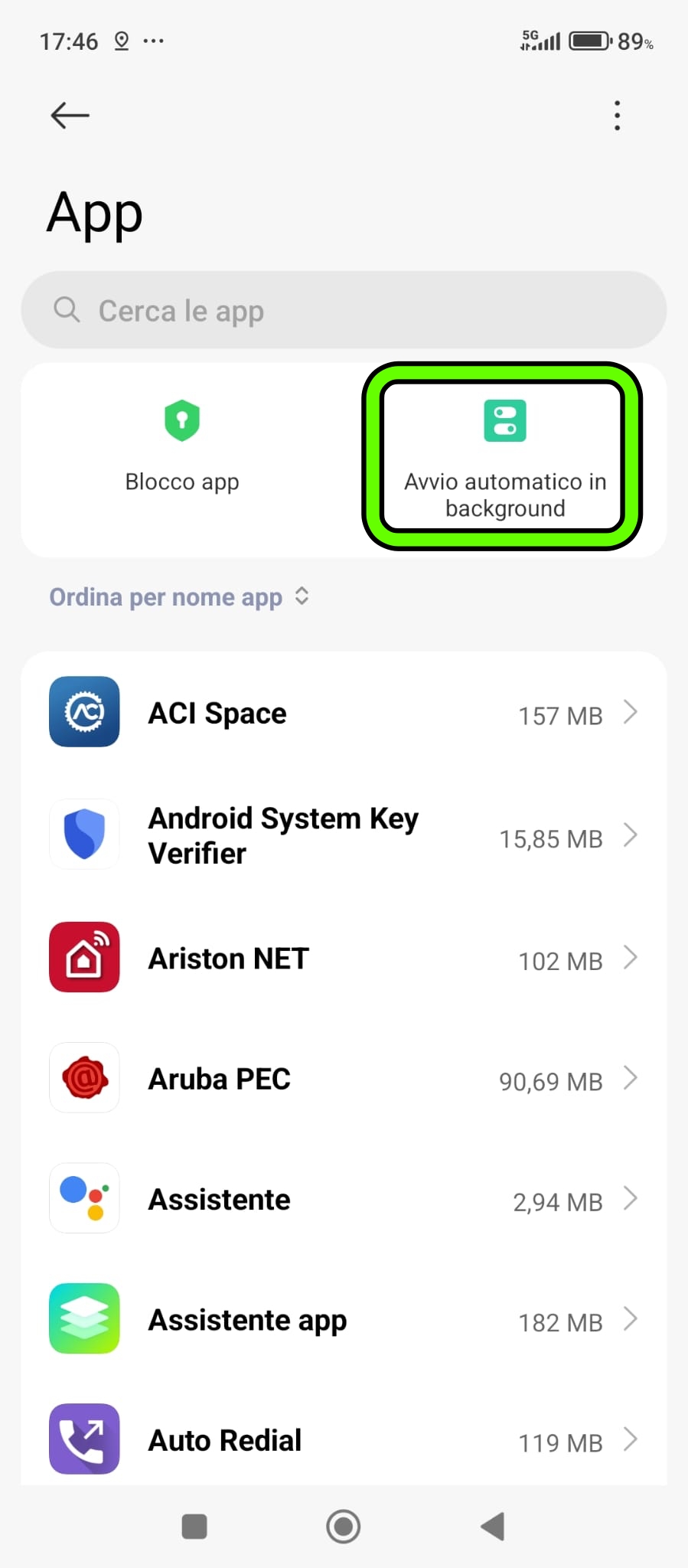
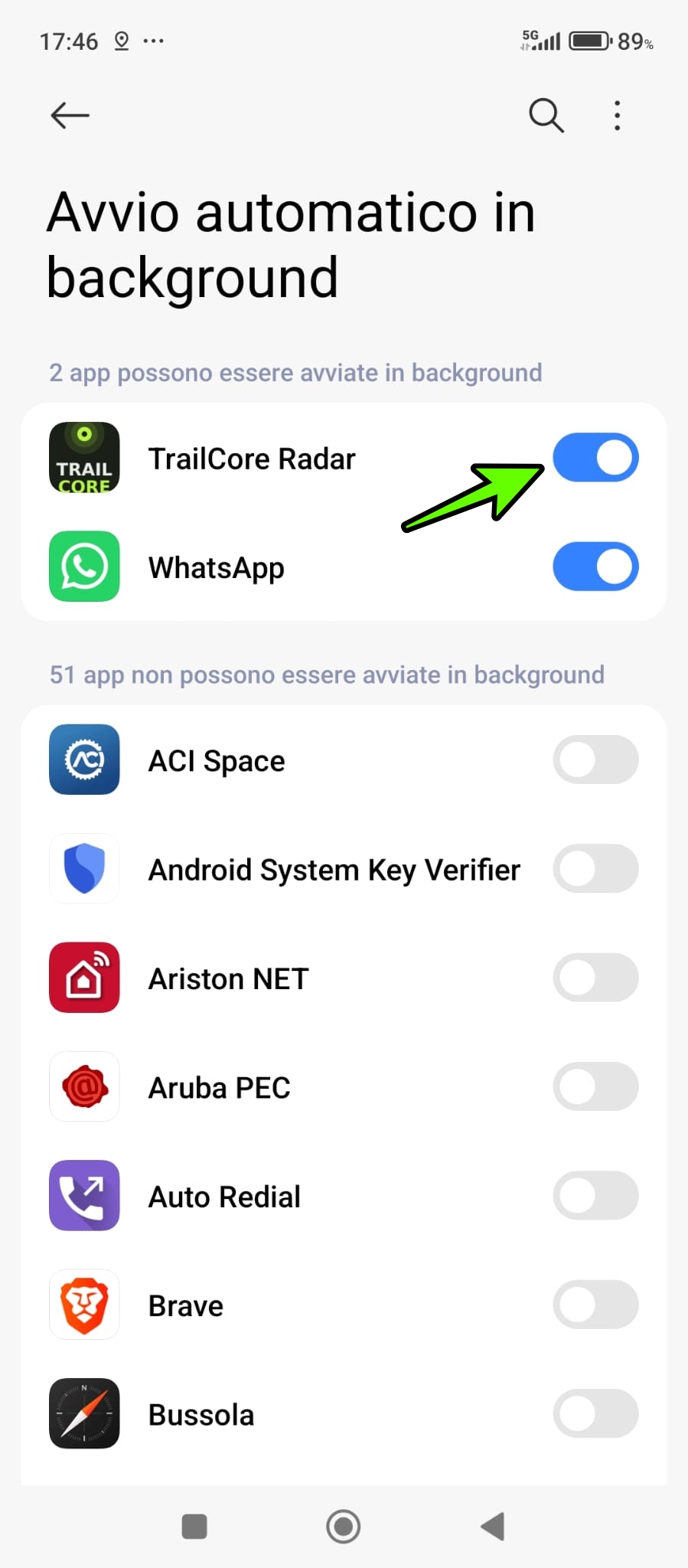
Only TrailCore Radar and WhatsApp appear in the "can be started in background" list — this is normal.
Allows the app to keep the GPS service active when the screen is off, without HyperOS terminating it.
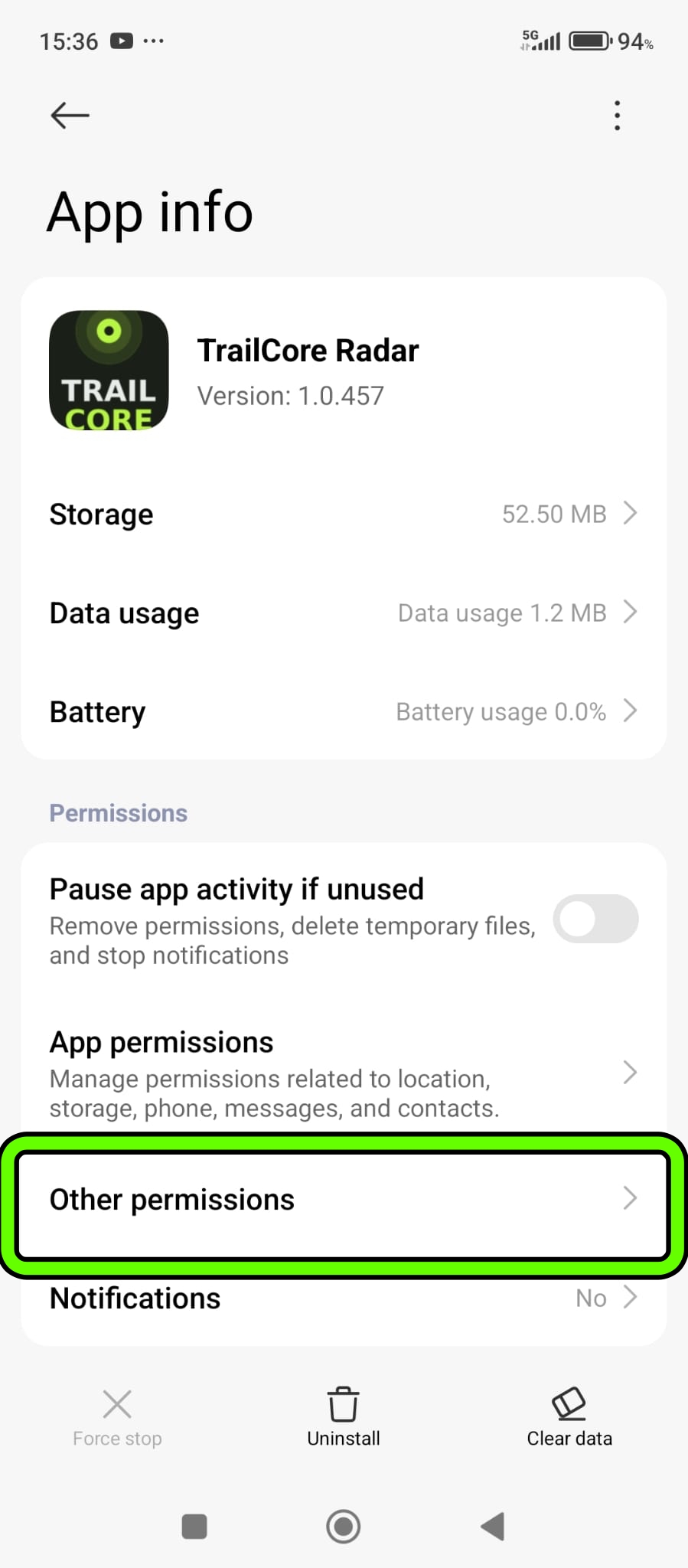
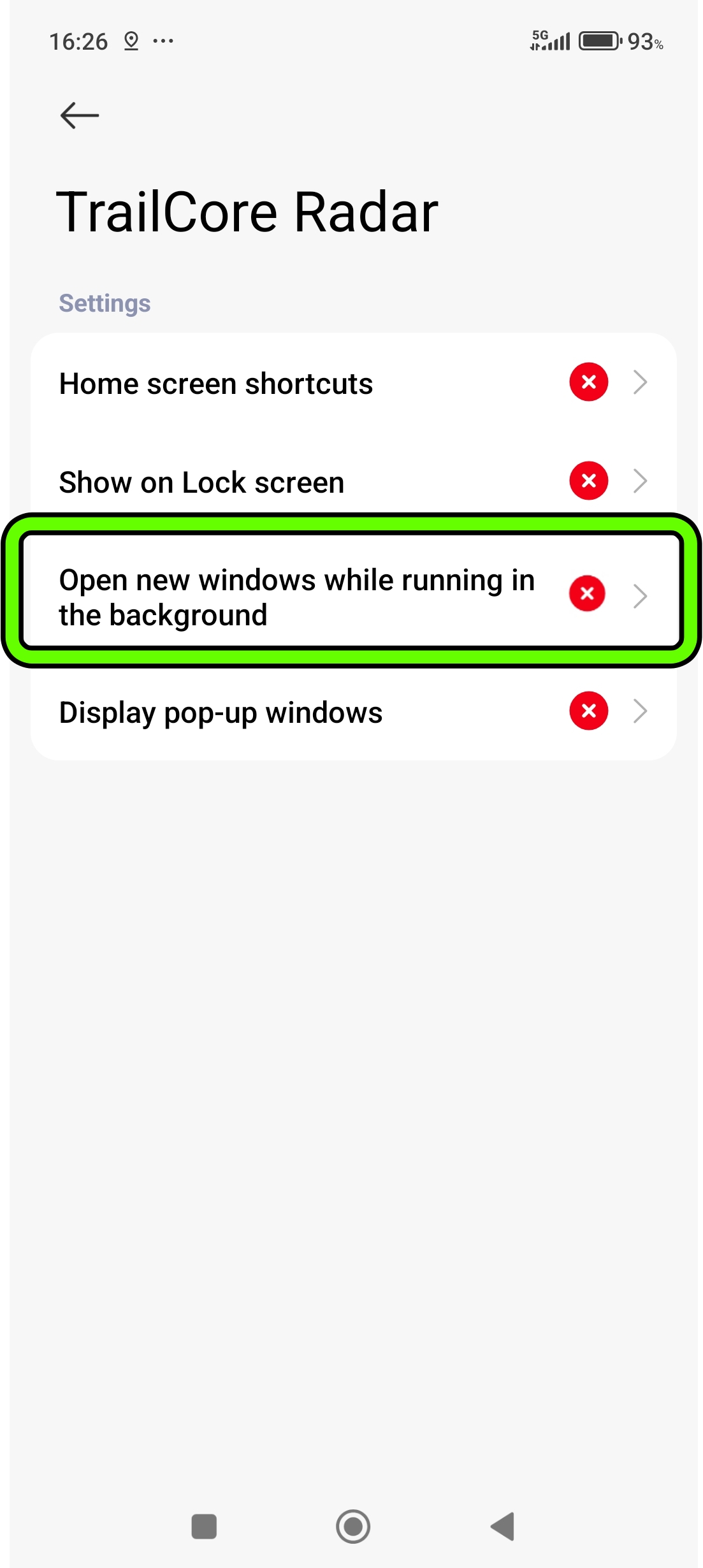
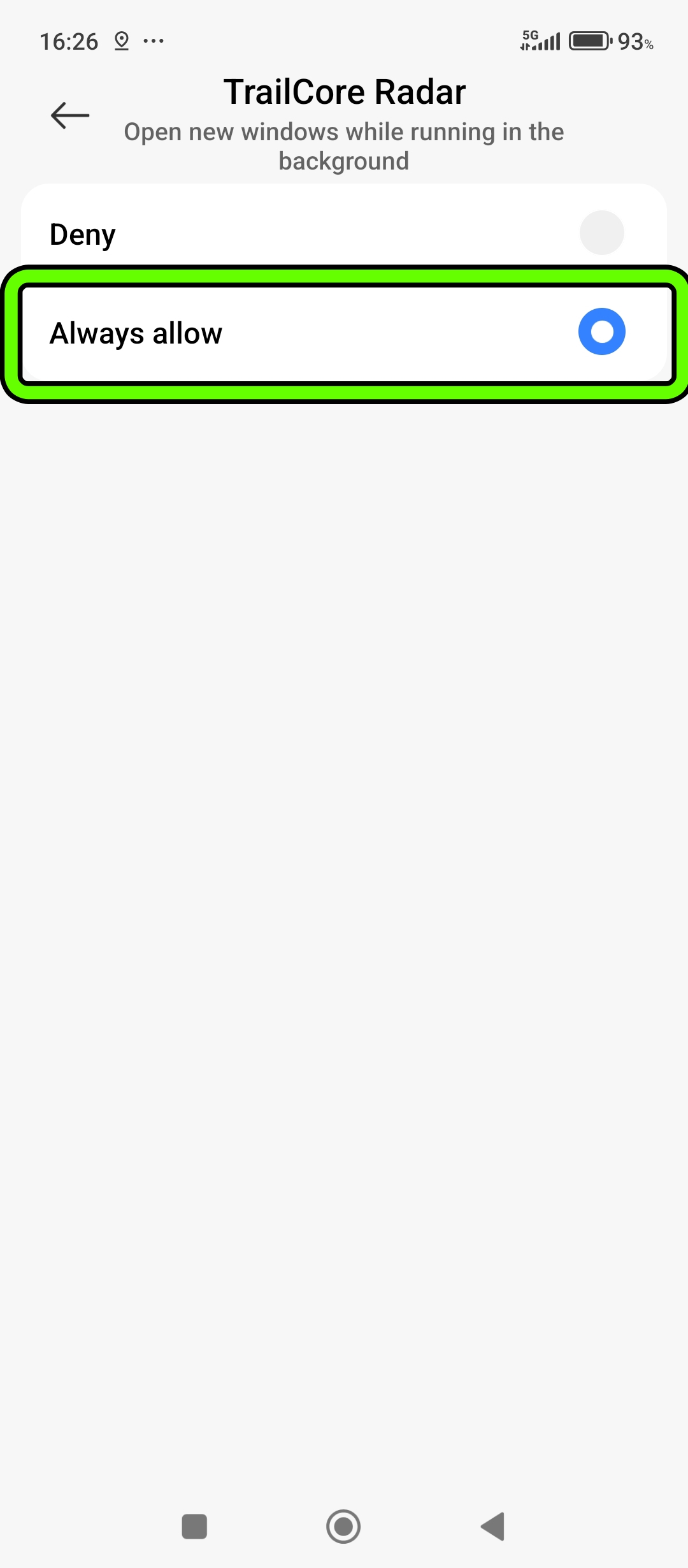
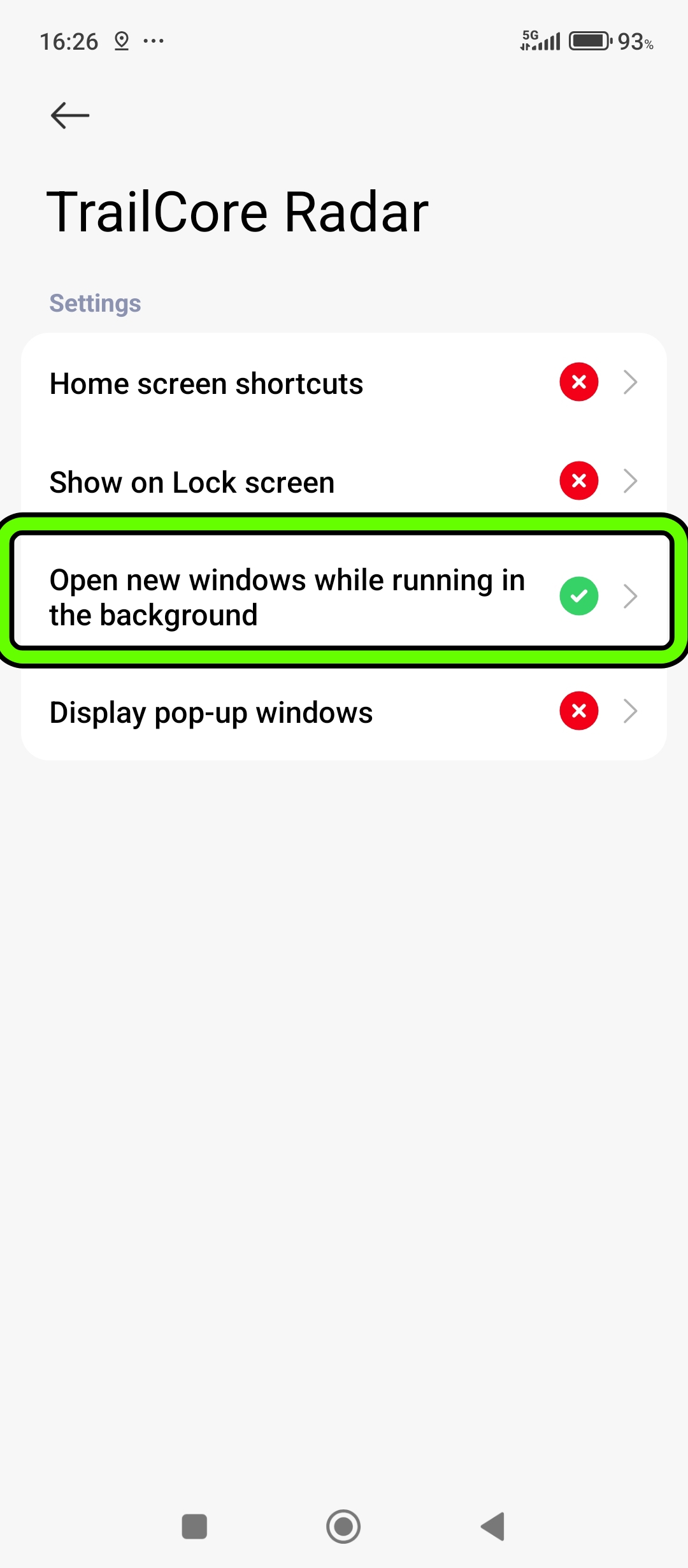
Without this setting HyperOS terminates the GPS within 10 minutes of turning off the screen, regardless of all other configurations.